
Download Flash Windows Hider – Free, Secure, Lightweight Tool to Hide & Mute Windows on Windows & Mac
Looking for a quick, reliable way to hide and mute running applications on your PC? Flash Windows Hider is a minimal yet effective software tool designed to instantly conceal windows you'd prefer to keep private. Whether you're switching between work and personal tasks, managing sensitive data, or simply need a moment of privacy, this lightweight utility lets you hide any open window with a single hotkey.
With support for customizable key combinations, auto-start, and silent audio muting, Flash Windows Hider delivers a no-frills, secure experience. Available for Windows and Mac, it’s a free download that requires no installation—just run and go. Perfect for users who value speed, privacy, and simplicity.
Key Features of Flash Windows Hider
Flash Windows Hider stands out in the crowded space of privacy tools by focusing on one core function: hiding and muting active windows. Despite its minimal interface, the software packs several smart features that enhance usability and discretion. The first standout feature is the customizable hotkey system. Users can assign any key combination—like Ctrl+Shift+H or Alt+Tab—to trigger the hide function. This flexibility ensures you won’t conflict with existing shortcuts used by other apps, making it ideal for multitaskers.
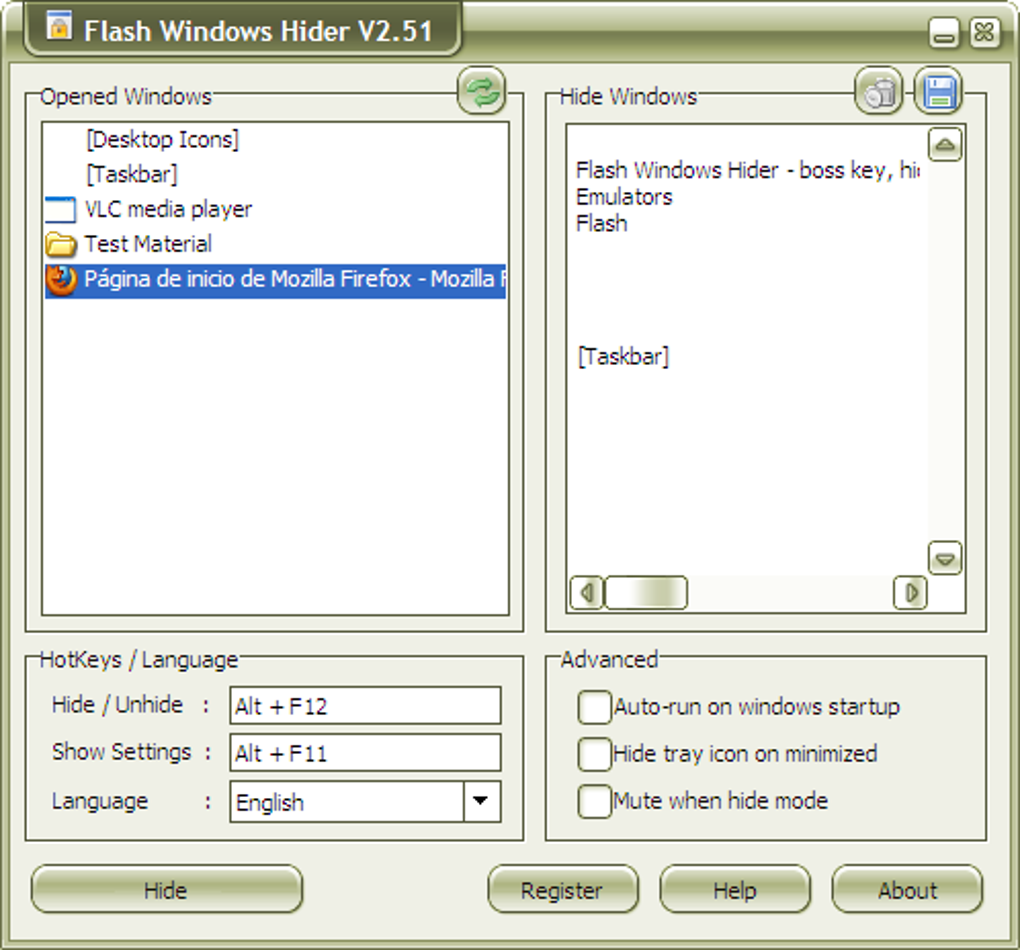
Another powerful feature is the automatic window scanning. When you launch Flash Windows Hider, it quickly detects all open windows, including those in the system tray. You can then select which windows to include in your hide list. This session-based approach means you can tailor your privacy settings on the fly—perfect for scenarios where you’re working with different apps throughout the day. For example, you might hide your email client during a meeting but keep your browser visible.
The auto-mute function is a unique and often overlooked benefit. When you hide a window, Flash Windows Hider can automatically mute its audio output, preventing accidental sound leaks. This is especially useful if you’re watching videos, playing games, or using video conferencing tools and need to avoid distracting noise. Additionally, the tool supports tray icon hiding, allowing you to run it silently in the background without any visual reminders.
For those who prefer seamless integration, Flash Windows Hider can be set to auto-start with your system, ensuring it’s always ready when you need it. It’s also available in multiple languages, making it accessible to a global audience. All of these features are delivered in a lightweight package that consumes minimal system resources—ideal for older PCs or laptops with limited RAM.
How to Install and Use Flash Windows Hider
One of the most appealing aspects of Flash Windows Hider is its no-installation requirement. Unlike many software tools that demand complex setup processes, this app is designed to be portable and instantly usable. To get started, simply download the latest version from the official site. The file is typically a single executable (e.g., FlashWindowsHider.exe) that you can run directly—no need to go through an installer or grant admin rights.
Once launched, the main window appears with a clean, straightforward layout. Click the “Scan Windows” button to detect all currently running applications. A list will populate, showing each window’s title and process name. From here, you can select which apps you want to include in your hide list. This selection is saved per session, so you’ll need to reconfigure it if you open new programs later.
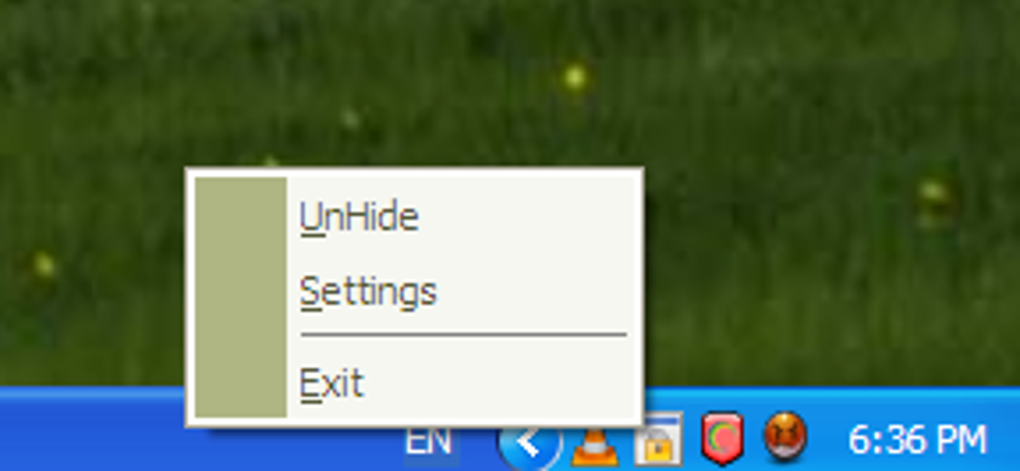
Next, assign your preferred hotkey. Go to the settings menu and choose a combination that isn’t already in use. For instance, using Ctrl+Shift+H is a safe bet for most users. After setting the hotkey, you can minimize the app to the system tray. From there, you can access the menu by right-clicking the tray icon to adjust settings, view hidden windows, or exit the program.
To hide a window, simply press your assigned hotkey. The selected window will vanish instantly from view—though it remains running in the background. If you’ve enabled the auto-mute feature, the audio will also be silenced. To restore the window, just press the hotkey again. The entire process takes seconds and requires no technical knowledge, making it perfect for both beginners and advanced users.
Compatibility & System Requirements
Flash Windows Hider is designed for broad accessibility and runs smoothly on multiple operating systems. It supports Windows 7, 8, 10, and 11, both 32-bit and 64-bit versions. This ensures compatibility with a wide range of desktops and laptops, from older machines to modern workstations. For Mac users, a version is also available, making it one of the few privacy tools that truly cross-platform.
Since it’s a lightweight application, Flash Windows Hider has minimal system requirements. It doesn’t need high-end hardware or large amounts of RAM. The software typically uses less than 10 MB of memory and runs efficiently even on devices with limited processing power. This makes it an excellent choice for users with older systems or those who prefer to keep their machines clutter-free.
The tool is compatible with most third-party applications, including web browsers, media players, messaging apps, and productivity software. However, it does not support hidden or minimized windows that are already concealed by other programs. It works best with standard open windows that are visible on the desktop.
For users concerned about security, Flash Windows Hider is free from malware and adware. It’s distributed through trusted sources and doesn’t require internet access to function. All operations occur locally, ensuring your privacy is not compromised. Whether you're using it at home, in the office, or on a public computer, you can trust it to deliver a secure experience.
Pros and Cons of Flash Windows Hider
Pros
- Free to download and use – No hidden fees or subscription models.
- Lightweight and fast – Minimal resource usage, ideal for older systems.
- Customizable hotkeys – Assign any key combo without conflicts.
- Auto-mute functionality – Silences audio when hiding windows.
- Portable & no installation – Run directly from a USB drive or folder.
- Supports Windows and Mac – Cross-platform compatibility.
- Tray icon hiding option – Run silently in the background.
Cons
- Session-based settings – Must reconfigure window list when opening new apps.
- No built-in password protection – Anyone with access to the PC can use it.
- Basic interface – Lacks advanced customization or visual polish.
- Doesn’t hide system windows – Some system-level apps may not be affected.
- Only available in select languages – Not all languages are supported.
Frequently Asked Questions (FAQ)
How do I download Flash Windows Hider?
You can download Flash Windows Hider for free from the official website. Look for the latest version compatible with your OS—Windows or Mac. The download is typically a single executable file that doesn’t require installation.
Can I use Flash Windows Hider on Mac?
Yes, Flash Windows Hider is available for both Windows and Mac. The Mac version offers the same core features: hiding windows, muting audio, and using custom hotkeys.
Does Flash Windows Hider work with all applications?
It works with most standard applications, including browsers, media players, and messaging tools. However, it may not hide system-level or minimized windows that are already hidden by other programs.
Is Flash Windows Hider secure?
Yes, Flash Windows Hider is secure and free from malware. It operates locally, doesn’t collect data, and doesn’t require internet access. It’s a trusted tool for maintaining privacy on personal and shared devices.
Can I set it to start automatically?
Yes, you can enable the auto-start option in the settings. This ensures Flash Windows Hider launches every time you boot your computer, ready to protect your privacy.
Final Verdict & Call to Action
Flash Windows Hider is a no-nonsense, free, secure, and lightweight tool that delivers exactly what it promises: the ability to hide and mute windows with a single keystroke. While it lacks the flashy interface of modern apps, its simplicity is its greatest strength. It’s perfect for users who value privacy, speed, and minimalism.
If you’ve ever needed to quickly hide a window during a meeting, switch tasks without distraction, or prevent audio from leaking, this tool is worth a try. With its customizable hotkeys, auto-mute feature, and cross-platform support, it’s a reliable addition to any digital toolkit.
Download Flash Windows Hider today and take control of your screen privacy—no installation, no hassle, just instant results.







